
Idea Hub
Capture content ideas inside a calendar, develop them on a kanban board, and convert finished ideas into real content with one click.
What It Is
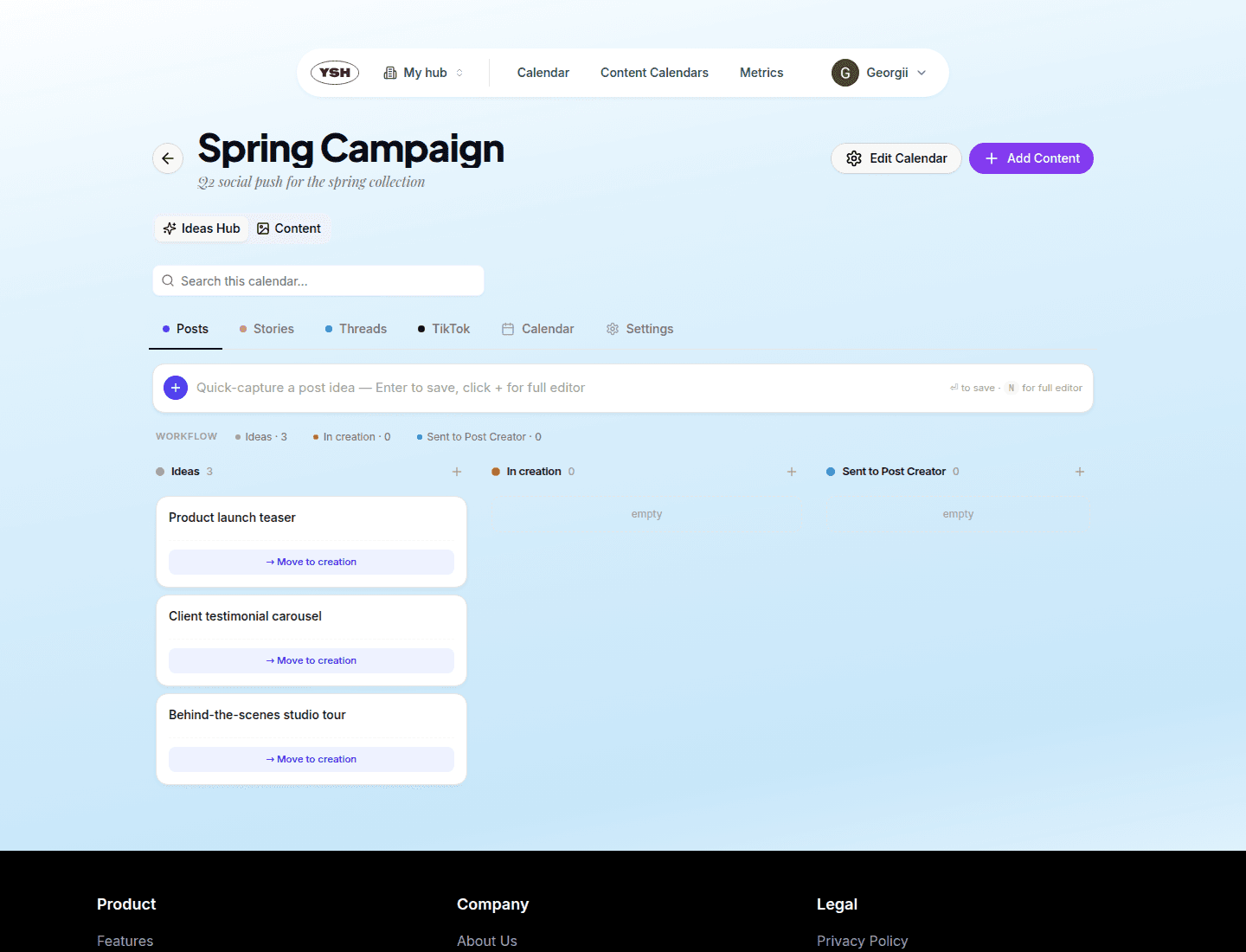
Each content calendar has an Ideas Hub tab — a lightweight planning space that sits before the content workflow. Capture rough ideas, develop them, and send the good ones to the Post Creator when they are ready to become real content.
Idea Types
Ideas are organized into sub-tabs by format:
- Posts — feed posts and carousels.
- Stories — story concepts.
- Threads — text-thread ideas.
- TikTok — TikTok concepts.
The Calendar sub-tab shows ideas with planned dates on a month grid, and Settings holds per-calendar Idea Hub preferences.
Capturing Ideas
Use the capture bar at the top of any tab: type a title and press Enter to save instantly. Click the + button to open the full editor instead, where you can add a caption draft, attach media, set a planned date, and pick target accounts.
The Idea Board
Each tab is a kanban board with three columns:
- Ideas — raw captures.
- In creation — ideas being worked on. Move an idea here with the Move to creation action.
- Sent to Post Creator — ideas already converted into content.
Select several cards to act on them in bulk.
Converting an Idea into Content
On a card in In creation, click Open in Post Creator. The content creation form opens prefilled with the idea's title, caption, media, planned date, and selected accounts. When you create the content, the idea is automatically marked as Sent.