
Dashboard & Tasks
The hub Calendar page is your daily dashboard — all scheduled content across calendars, auto-created tasks from reviewer feedback, and a recent activity feed.
The Calendar Page
Calendar is the first item in the top navigation and the hub-wide dashboard: a month view of all scheduled content across every content calendar in the hub, with a list view alternative. Filter by content calendar, status, or type to focus on what matters.
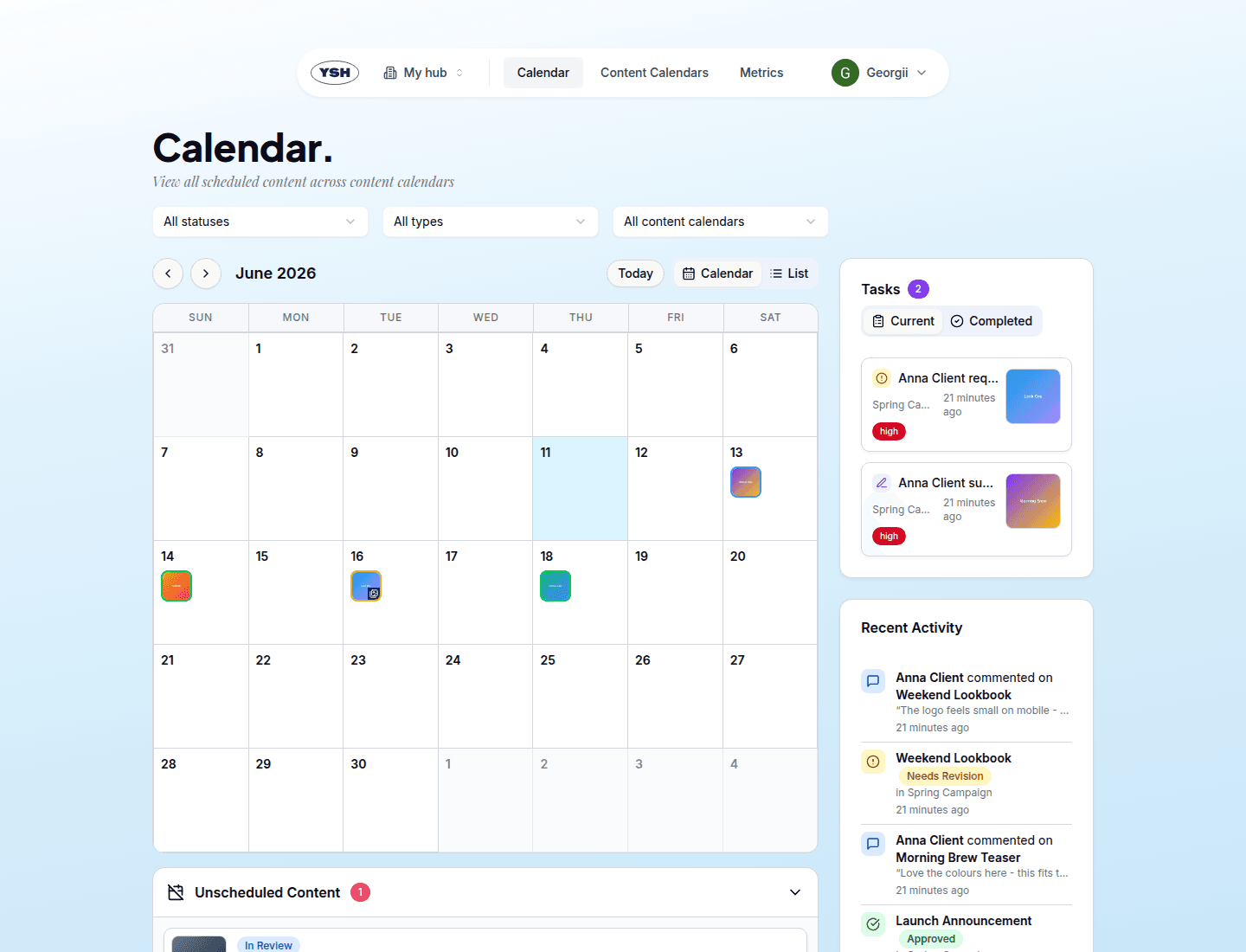
Tasks
The Tasks widget next to the calendar collects work items that YSH creates automatically from reviewer feedback:
- a reviewer left a comment on content,
- a reviewer requested revisions,
- a reviewer suggested a caption edit.
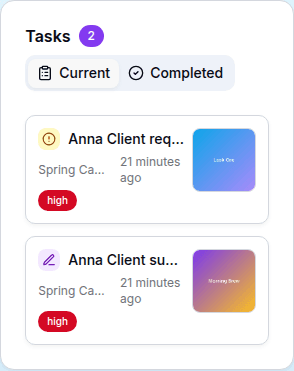
Each task links to the content it belongs to. Click the check button to mark a task complete; switch between the Current and Completed tabs to review history. The badge next to the title shows how many tasks are waiting.
Recent Activity
Below the tasks, Recent Activity shows the latest status changes across the hub — what was approved, what came back with revision requests, what got published. Together with tasks it makes sure reviewer feedback never goes unnoticed.